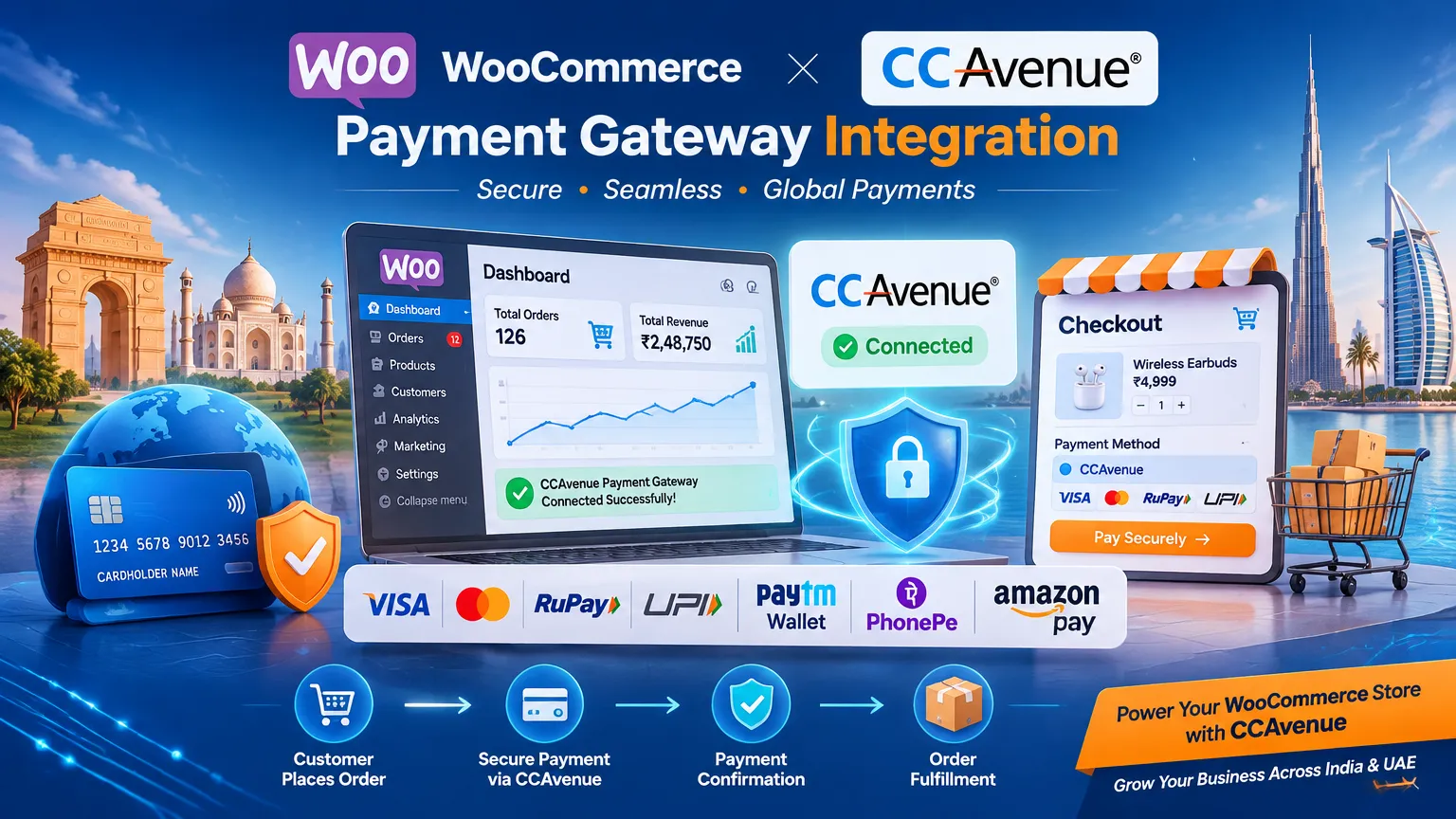
In today’s competitive e-commerce landscape, having a secure, reliable, and region-friendly payment gateway is essential for online business success. For businesses operating in India and the UAE, CCAvenue has emerged as one of the most trusted payment gateway providers, offering extensive payment options, robust security, and seamless transaction processing.
If you’re running a WooCommerce-powered online store and looking to accept payments from customers across India, the UAE, and international markets, integrating CCAvenue with WooCommerce can significantly enhance your checkout experience and improve conversion rates.
In this guide, we’ll walk you through everything you need to know about integrating CCAvenue Payment Gateway with WooCommerce using the TechBella Payment Gateway CCAvenue Pro plugin.
Why Choose CCAvenue for WooCommerce?
CCAvenue is one of Asia’s leading payment gateway providers and supports businesses of various sizes, from startups to large enterprises. It offers a comprehensive payment ecosystem with support for:
- Credit Cards
- Debit Cards
- Net Banking
- UPI Payments
- Mobile Wallets
- EMI Options
- International Cards
- Multi-Currency Transactions
For businesses serving customers in India and the UAE, CCAvenue provides a localized payment experience while maintaining global transaction capabilities.
Key Benefits of CCAvenue
1. Multiple Payment Methods
Customers can complete purchases using their preferred payment option, reducing cart abandonment and increasing sales.
2. Enhanced Security
CCAvenue follows strict security standards and encryption protocols that help protect customer payment information.
3. Multi-Currency Support
Ideal for UAE businesses selling internationally or Indian businesses targeting overseas customers.
4. Fast Settlement Process
Receive payments efficiently while managing transactions from a centralized dashboard.
5. Mobile-Friendly Checkout
Optimized payment experience across smartphones, tablets, and desktops.
Why WooCommerce Store Owners Need a Dedicated CCAvenue Integration
While payment processing is critical, the integration experience matters just as much. WooCommerce store owners require:
- Easy installation
- Secure API connectivity
- Smooth checkout flow
- Order synchronization
- Automatic payment status updates
- Compatibility with modern WooCommerce versions
This is where TechBella Payment Gateway CCAvenue Pro comes into play.
TechBella Payment Gateway CCAvenue Pro for WooCommerce
The TechBella Payment Gateway CCAvenue Pro plugin is designed specifically for WooCommerce stores looking for a reliable and streamlined CCAvenue integration.
This plugin helps merchants connect their WooCommerce store directly with CCAvenue while ensuring an optimized checkout process and smooth order management.
Features of TechBella CCAvenue Pro
- Easy WooCommerce integration
- Secure connection with CCAvenue Merchant Account
- User-friendly configuration
- Payment status synchronization
- WooCommerce order management compatibility
- Optimized checkout experience
- Suitable for businesses in India and UAE
- Reliable transaction processing
Step-by-Step Guide to Integrate CCAvenue with WooCommerce
Step 1: Create a CCAvenue Merchant Account
Before integrating the payment gateway, you need an active CCAvenue merchant account.
Ensure you have:
- Merchant ID
- Access Code
- Working Key
These credentials are provided by CCAvenue after account activation.
Step 2: Purchase and Download TechBella CCAvenue Pro Plugin
Visit: https://www.techbellasolutions.com/product/techbella-payment-gateway-ccavenue-pro/
Download the plugin package after purchase.
Step 3: Install the Plugin
From your WordPress Dashboard:
Navigate to: Plugins → Add New → Upload Plugin
- Upload the plugin ZIP file.
- Click Install.
- Activate the plugin.
Once activated, the payment gateway becomes available within WooCommerce settings.
Step 4: Configure WooCommerce Payment Settings
Go to: WooCommerce → Settings → Payments
Locate: CCAvenue Pro by TechBella
Click Manage.
Enter:
- Merchant ID
- Access Code
- Working Key
Save changes.
Step 5: Enable Test Mode
Before accepting live payments:
- Enable Sandbox/Test Mode.
- Perform trial transactions.
- Verify order status updates.
- Check payment confirmation workflows.
Testing helps ensure everything works correctly before going live.
Step 6: Enable Live Payments
After successful testing:
- Disable Test Mode.
- Switch to Live Credentials.
- Save settings.
Your WooCommerce store is now ready to accept payments through CCAvenue.
Benefits for UAE Businesses
The UAE e-commerce sector continues to grow rapidly, and businesses need payment systems that support both local and international customers.
Using CCAvenue with WooCommerce helps UAE businesses:
Serve International Customers
Multi-currency payment support allows global purchasing.
Improve Customer Trust
A recognized payment gateway increases buyer confidence.
Expand Regional Reach
Accept payments from customers throughout the GCC region and beyond.
Reduce Payment Friction
Providing multiple payment methods helps customers complete transactions faster.
Benefits for Indian Businesses
CCAvenue has a strong presence in the Indian market and supports payment methods widely used across the country.
UPI Integration
Enable customers to pay using popular UPI applications.
Extensive Banking Network
Support payments from major Indian banks.
EMI Payment Options
Offer flexible payment methods that encourage larger purchases.
Higher Conversion Rates
A familiar and trusted payment gateway improves checkout completion.
Best Practices for WooCommerce Payment Gateway Integration
To maximize payment success and customer satisfaction:
Keep WooCommerce Updated
Always use the latest stable version to maintain security and compatibility.
Monitor Failed Transactions
Review transaction logs regularly to identify payment issues.
Test After Every Major Update
Verify payment functionality following plugin or WooCommerce updates.
Optimize Checkout Experience
Minimize unnecessary checkout fields and simplify the purchasing process.
Enable SSL Security
Ensure your website uses HTTPS to protect customer data.
Common Integration Challenges and Solutions
Payment Gateway Not Appearing
Check:
- Plugin activation status
- WooCommerce payment settings
- Merchant credentials
Failed Transactions
Verify:
- Working Key
- Access Code
- Merchant ID
- Server configuration
Order Status Not Updating
Ensure:
- Callback URLs are functioning correctly
- Plugin settings are properly configured
Test Mode Issues
Double-check whether sandbox credentials are being used during testing.
Why TechBella CCAvenue Pro Stands Out
Many WooCommerce store owners struggle with complex payment gateway setups and compatibility challenges. TechBella CCAvenue Pro simplifies the process by offering a dedicated WooCommerce integration solution that is easy to configure and maintain.
Whether you’re operating:
- A retail store in Dubai
- A fashion brand in Mumbai
- A B2B marketplace in Abu Dhabi
- An online electronics store in Delhi
The plugin helps streamline payment acceptance through CCAvenue while supporting WooCommerce’s powerful e-commerce capabilities.
Final Thoughts
Choosing the right payment gateway can directly impact your e-commerce business growth. For WooCommerce store owners in India and the UAE, CCAvenue offers a trusted, secure, and flexible payment solution capable of handling diverse customer preferences and payment methods.
By integrating CCAvenue Payment Gateway using TechBella Payment Gateway CCAvenue Pro, businesses can simplify payment processing, deliver a smoother checkout experience, and increase customer trust.
If you’re planning to scale your WooCommerce store across India, the UAE, or international markets, implementing a reliable payment gateway integration should be one of your top priorities.
Get Started with TechBella CCAvenue Pro