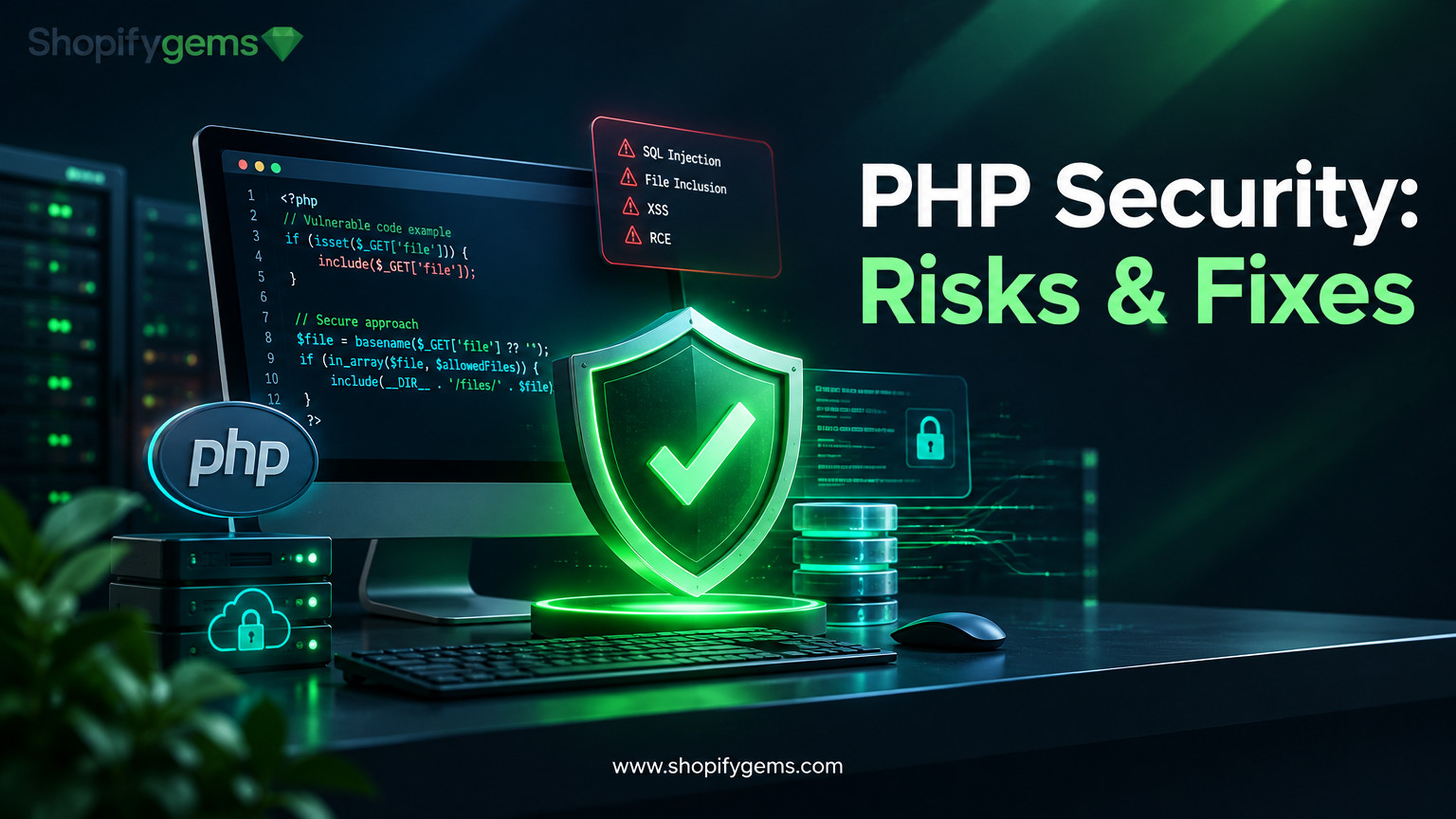
PHP powers a significant part of the web, including content management systems, ecommerce platforms, business applications, and custom-built websites. Its flexibility and extensive ecosystem make it a popular development choice. However, like any server-side technology, PHP applications can become vulnerable when their runtime, dependencies, or application code are not properly maintained.
Critical PHP vulnerabilities deserve particular attention because they can expose sensitive information, allow unauthorized access, disrupt website operations, or even give attackers control over a web server.
For businesses running WordPress, WooCommerce, or custom PHP applications, the consequences can extend beyond technical problems. A successful attack may compromise customer records, interfere with checkout functionality, damage brand reputation, and create unexpected recovery costs.
Understanding the most important PHP security risks is the first step towards preventing them. Let’s explore the major vulnerability types, affected versions, and practical security fixes that developers and website owners should prioritize.
Quick Answer: How Do You Protect a PHP Website?
To protect a PHP website:
Upgrade to a currently supported PHP release and install the latest security updates.
Remove outdated frameworks, libraries, themes, and plugins.
Prevent SQL injection through prepared statements and parameterized queries.
Validate and sanitize user input.
Restrict file uploads and filesystem access.
Secure authentication, sessions, and administrative accounts.
Use HTTPS, appropriate server permissions, and regular security monitoring.
Perform vulnerability assessments and test updates before production deployment.
Updating PHP is especially important when a critical vulnerability affects the runtime itself. Application-level security measures cannot replace an official security patch.
What Are Critical PHP Vulnerabilities?
PHP vulnerabilities are security weaknesses in the PHP programming language, its runtime environment, associated libraries, or applications built using PHP.
A vulnerability becomes critical when it can potentially allow attackers to perform high-impact actions with little effort or without legitimate access.
For example, an attacker might exploit a remote code execution vulnerability to run malicious commands on a web server. Another vulnerability might expose database records or allow unauthorized users to access administrative functions.
Not all PHP vulnerabilities originate from PHP itself. They generally fall into three categories:
PHP core vulnerabilities: Security flaws within the PHP interpreter, runtime, or built-in functionality.
Dependency vulnerabilities: Weaknesses in third-party libraries, frameworks, and packages used by PHP applications.
Application-level vulnerabilities: Security problems introduced through insecure coding practices, incorrect configurations, or poorly maintained plugins and extensions.
This distinction matters because fixing a vulnerability in PHP’s core does not automatically secure an application containing vulnerable plugins or custom code.
7 Critical PHP Vulnerabilities and Security Risks to Understand
Some vulnerability types are particularly dangerous because they can expose sensitive data, compromise servers, or provide attackers with unauthorized access.
1. Remote Code Execution (RCE)
Remote Code Execution (RCE) allows an attacker to execute commands or code on a remote server.
This is among the most serious security risks affecting PHP applications. Depending on the vulnerability and server permissions, an attacker may install malicious scripts, access sensitive files, modify website content, or compromise other services.
Common causes include:
Unsafe handling of user-controlled input.
Vulnerable PHP runtime components.
Insecure deserialization.
Exploitable application dependencies.
Incorrectly configured server functionality.
Security fixes:
Install official PHP security updates immediately.
Remove vulnerable libraries and extensions.
Avoid executing user-supplied input as PHP or shell commands.
Restrict the permissions available to PHP processes.
Monitor server activity for suspicious processes and unexpected file modifications.
A recent example demonstrates why runtime patching matters. In October 2026, PHP disclosed two critical remote code execution vulnerabilities, CVE-2026-109618 and CVE-2026-109619, collectively associated with PHP2Shell. Both received a CVSS 4.0 score of 9.2.
PHP released security fixes in versions 8.5.12, 8.4.27, 8.3.36, and 8.2.35. The vulnerabilities affected PHP installations serving web requests, including PHP-FPM and Apache configurations.
2. SQL Injection
SQL injection occurs when attackers manipulate database queries through improperly handled input.
For example, an insecure login form might insert submitted credentials directly into an SQL query. An attacker could manipulate the query to bypass authentication or retrieve information they should not be able to access.
Potential consequences include:
Unauthorized database access.
Exposure of customer information.
Modification or deletion of records.
Compromised authentication systems.
Disruption of business operations.
Security fixes:
Use prepared statements and parameterized queries instead of building SQL queries through string concatenation.
For example, PHP’s PDO extension supports safer database interactions:
<?php

$stmt = $pdo->prepare(
    "SELECT * FROM users WHERE email = :email"
);

$stmt->execute([
    'email' => $email
]);

$user = $stmt->fetch();
?>
This separates SQL instructions from user-provided values, reducing the risk of SQL injection.
Developers should also apply appropriate database permissions and avoid giving application accounts unnecessary administrative privileges.
3. Cross-Site Scripting (XSS)
Cross-Site Scripting occurs when attackers inject malicious scripts into website content that is subsequently displayed to other users.
For example, an insecure product review system might display submitted content without properly escaping it. An attacker could insert JavaScript that executes when another visitor opens the affected page.
XSS can potentially expose session information, manipulate website content, or trick visitors into performing unwanted actions.
Common types include:
Stored XSS: Malicious scripts are saved in the application or database.
Reflected XSS: Malicious input is returned in an immediate server response.
DOM-based XSS: Client-side JavaScript handles untrusted data insecurely.
Security fixes:
Use context-appropriate output encoding, validate input, and avoid inserting untrusted content into executable JavaScript or HTML.
PHP developers can use:
<?php

echo htmlspecialchars(
    $userInput,
    ENT_QUOTES | ENT_SUBSTITUTE,
    'UTF-8'
);

?>
A properly configured Content Security Policy (CSP) can provide an additional layer of protection, although it should not replace secure output handling.
4. File Inclusion Vulnerabilities
PHP applications frequently use file inclusion functionality to load templates, configuration files, and reusable application components.
Functions such as include, require, include_once, and require_once are legitimate development tools. However, using them with untrusted user input can create serious security problems.
Two common forms are:
Local File Inclusion (LFI): An attacker manipulates file paths to access unauthorized files on the server.
Remote File Inclusion (RFI): An application loads an external resource as code under vulnerable configurations.
Depending on the configuration and surrounding application logic, these weaknesses can expose sensitive files or contribute to code execution.
Security fixes:
Never directly use user input as a file path.
Use predefined file mappings or strict allowlists.
Disable unnecessary remote file inclusion functionality.
Restrict filesystem permissions.
Keep application configuration files outside publicly accessible directories.
For example, instead of accepting arbitrary template names, developers can map approved choices to known files:
<?php

$templates = [
    'home' => 'home.php',
    'about' => 'about.php',
    'contact' => 'contact.php'
];

$page = $_GET['page'] ?? 'home';

if (isset($templates[$page])) {
    include __DIR__ . '/templates/' . $templates[$page];
}

?>
This prevents visitors from selecting arbitrary server files through the page parameter.
5. Insecure Deserialization
PHP supports serialization and unserialization to convert data into formats that can be stored or transferred and later reconstructed.
However, calling unserialize() on untrusted input can introduce security vulnerabilities.
An attacker may manipulate serialized objects to trigger unexpected application behavior. In applications containing vulnerable classes or dependencies, this can potentially lead to unauthorized file operations or remote code execution.
Security fixes:
Avoid unserializing data received directly from users.
Prefer JSON for exchanging structured data when object reconstruction is unnecessary.
Validate data before processing it.
Use PHP’s
allowed_classesoption where appropriate.Review dependencies for unsafe magic methods and object-handling behavior.
Example:
<?php

$data = json_decode($input, true);

if (json_last_error() === JSON_ERROR_NONE) {
    // Process validated application data
}

?>
Using JSON does not automatically make data trustworthy, but it avoids PHP’s native object deserialization behavior.
6. Authentication and Session Management Weaknesses
PHP applications often rely on sessions to maintain login states and manage user access.
Poor session handling can allow attackers to hijack authenticated sessions, impersonate legitimate users, or gain access to restricted functionality.
Common problems include:
Session fixation.
Weak session identifiers.
Insecure cookie settings.
Missing session expiration controls.
Insufficient protection against brute-force login attempts.
Security fixes:
Regenerate session identifiers after successful authentication:
<?php

session_start();

if ($loginSuccessful) {
    session_regenerate_id(true);
    $_SESSION['authenticated'] = true;
}

?>
Also configure session cookies with appropriate security attributes:
<?php

session_set_cookie_params([
    'secure' => true,
    'httponly' => true,
    'samesite' => 'Lax'
]);

session_start();

?>
The secure attribute should be used when the application operates over HTTPS. Developers should also implement appropriate logout handling, session expiration, and account-level protections.
7. Outdated PHP Versions and Unpatched Dependencies
Running an outdated PHP version is one of the most avoidable security risks.
When a PHP release reaches end of life, the PHP project stops providing its normal security maintenance for that branch. Newly discovered vulnerabilities may therefore remain unpatched for users who continue running it.
The same concern applies to outdated frameworks and dependencies.
As of November 2026, the PHP project’s supported-version schedule includes PHP 8.2, 8.3, 8.4, and 8.5. PHP 8.2 is approaching the end of its security-support period on December 31, 2026.
Security fixes:
Identify the PHP version used by every production environment.
Plan upgrades before a release reaches end of life.
Update Composer dependencies regularly.
Remove abandoned or unused packages.
Test compatibility before upgrading production applications.
Monitor official PHP security announcements.
A modern PHP release alone does not guarantee security, but staying within a supported release branch makes it possible to receive important security fixes.
PHP Vulnerability Examples: Affected Versions and Security Updates
Knowing the vulnerability category is useful, but developers also need to know which PHP releases are affected and where to obtain the fixes.
The following examples highlight two important 2026 security disclosures.
| Vulnerability | Affected PHP versions | Security fix |
|---|---|---|
| CVE-2026-109618 – RCE via out-of-memory corruption | PHP 8.5 before 8.5.12; 8.4 before 8.4.27; 8.3 before 8.3.36; 8.2 before 8.2.35 | Install the corresponding patched release |
| CVE-2026-109619 – RCE via stale global state | PHP 8.5 before 8.5.12; 8.4 before 8.4.27; 8.3 before 8.3.36; 8.2 before 8.2.35 | Install the corresponding patched release |
| CVE-2026-17543 – SQL injection | PHP 8.5 before 8.5.9; 8.4 before 8.4.24; 8.3 before 8.3.33; 8.2 before 8.2.33 | Upgrade to a fixed release |
Sources: PHP’s official security announcements, CERT-EU, and the National Vulnerability Database.
Important: These are vulnerability-specific version thresholds, not recommendations to install those minimum versions today. Use the latest security-maintained release available for your PHP branch. The October 2026 PHP2Shell fixes supersede the earlier minimum patch levels for the listed branches.
For older, unsupported PHP branches, consult your operating system or hosting provider about available security backports. A backported fix may address a vulnerability without changing the PHP version number to the latest upstream release.
How to Identify PHP Vulnerabilities on Your Website
Website owners should not wait until a security incident occurs before checking their PHP environments.
A structured assessment helps identify outdated software, exposed components, and potentially exploitable configurations.
Step 1: Check Your Installed PHP Version
Start by identifying the PHP version used by your production website.
You can run the following command through your server’s command line:
php -vThis displays the PHP version associated with the command-line environment.
However, remember that the CLI version may differ from the version used by your website. Check the PHP-FPM pool, Apache configuration, hosting control panel, or server environment to confirm which runtime actually handles web requests.
Avoid leaving publicly accessible phpinfo() files on production websites because they can reveal sensitive server configuration details.
Step 2: Review PHP Security Announcements
Monitor official PHP security announcements to identify newly disclosed vulnerabilities and available fixes.
Pay particular attention to:
Critical and high-severity security advisories.
Vulnerabilities affecting your installed PHP branch.
Emergency security releases.
End-of-life announcements.
Compatibility changes that could affect upgrades.
The official PHP supported versions page is a useful reference for checking maintenance timelines.
Step 3: Audit Dependencies and Extensions
PHP applications often depend on third-party packages and extensions.
For Composer-based applications, run:
composer auditThis checks installed dependencies against known security advisories.
You should also review:
Framework versions.
PHP extensions.
WordPress plugins and themes.
WooCommerce extensions.
Custom libraries.
Packages that are no longer maintained.
An application may run on a patched PHP version and still contain vulnerable dependencies.
Step 4: Perform a Security Assessment
A vulnerability assessment can help uncover weaknesses that routine software updates may not address.
Depending on the application, this may include:
Static application security testing (SAST).
Dynamic application security testing (DAST).
Dependency vulnerability scanning.
Server configuration reviews.
Access-control testing.
Authentication and session security checks.
Testing should take place in an authorized environment. For production systems, coordinate assessments carefully to avoid disrupting business operations.
Step 5: Review Logs and Suspicious Activity
PHP and web server logs can provide useful indicators of attempted exploitation.
Look for:
Unexpected PHP errors.
Suspicious requests containing unusual parameters.
Unexpected file modifications.
Unrecognized administrative accounts.
Unusual outbound network connections.
Unexpected server processes or resource consumption.
Logging alone cannot establish whether an attack succeeded. Investigate suspicious activity alongside application files, access records, and server-level evidence.
8 Practical Ways to Fix and Prevent PHP Security Vulnerabilities
Finding vulnerabilities is only part of the process. Businesses and development teams need a consistent approach to remediation.
1. Upgrade to a Supported PHP Version
The first priority is to move away from unsupported PHP releases.
Check application compatibility before upgrading, particularly if your website relies on older frameworks, custom scripts, or third-party extensions.
Use a staging environment to test the upgrade before deploying it to production.
2. Apply Security Patches Immediately
Security patches address known weaknesses in PHP, frameworks, libraries, and other application components.
Establish a process for:
Monitoring security announcements.
Identifying affected systems.
Prioritizing critical vulnerabilities.
Testing patches.
Deploying fixes.
Verifying successful installation.
For critical vulnerabilities that permit remote code execution, remediation should be treated as an emergency rather than a routine maintenance task.
3. Validate and Sanitize User Input
Every form, search field, URL parameter, and API endpoint that accepts external input should be reviewed.
Developers should validate data against expected formats and business rules. Output should be encoded according to its destination, while database queries should use parameterized statements.
Input validation, output encoding, and SQL parameterization solve different problems. Using all three where appropriate provides stronger protection.
4. Secure File Uploads
File upload functionality is a common source of application security problems.
An attacker may attempt to upload malicious scripts or files designed to exploit vulnerable processing logic.
To reduce this risk:
Allow only necessary file types.
Verify file content rather than relying exclusively on extensions.
Generate server-side filenames.
Set file size limits.
Store uploads outside executable web directories.
Prevent uploaded files from being executed.
Apply appropriate access permissions.
For ecommerce businesses, these precautions are especially relevant to customer image uploads, product media management, and document submission features.
5. Configure HTTPS and Secure Cookies
HTTPS encrypts communication between visitors and the website, helping protect credentials, session information, and other transmitted data.
Use valid TLS certificates and configure session cookies with appropriate attributes, including Secure, HttpOnly, and SameSite.
Consider implementing HTTP Strict Transport Security (HSTS) once HTTPS is correctly configured across the website.
6. Apply the Principle of Least Privilege
PHP applications should have only the permissions they need.
For example, a website process that needs to read product images should not automatically have permission to modify system configuration files.
Review:
File and directory permissions.
Database account privileges.
Administrative access.
API credentials.
Server service accounts.
Access to sensitive environment variables.
Restricting privileges helps limit the damage if an application component is compromised.
7. Maintain Regular Backups
Backups are essential for recovering from ransomware, malicious file changes, accidental deletion, and other security incidents.
A reliable backup strategy should include:
Automated backups.
Separate or isolated backup storage.
Database and application file backups.
Regular restoration tests.
Clearly defined recovery procedures.
A backup is only useful if it can be restored successfully. Test recovery procedures rather than assuming the backup process works.
8. Monitor Applications and Schedule Security Audits
Security is an ongoing responsibility.
Schedule periodic reviews of PHP versions, dependencies, server configurations, application permissions, and access controls.
Use automated monitoring where appropriate, but combine it with manual reviews for application-specific risks.
This is particularly important for ecommerce websites, where vulnerabilities can affect customer accounts, checkout processes, order information, and business continuity.
Why PHP Security Matters for Ecommerce Websites
A PHP vulnerability is not simply a developer’s technical concern. It can directly affect the operation and trustworthiness of an online business.
Consider a WooCommerce store that processes customer accounts, orders, and payment-related information.
If attackers exploit an application vulnerability, the consequences could include:
Customer data exposure: Unauthorized access to customer information can create privacy and compliance concerns.
Checkout disruption: Malicious changes or server downtime can prevent customers from completing purchases.
Website defacement: Attackers may modify website content, damage brand credibility, or distribute malicious content.
Administrative account compromise: Unauthorized access to management functionality can allow attackers to change products, users, or website settings.
Recovery expenses: Incident investigation, malware removal, restoration, and security improvements can create unexpected costs.
Businesses should therefore treat application security as part of routine ecommerce maintenance, not something to address only after a breach.
Does Shopify Have the Same PHP Security Risks?
Shopify and PHP-based platforms have different hosting and application architectures.
Shopify hosts and manages its core commerce platform, so merchants do not directly manage the underlying PHP runtime for their Shopify storefronts.
However, businesses using external PHP applications, custom integrations, third-party services, or separate WordPress and WooCommerce websites still need to maintain those environments securely.
For Shopify merchants, this distinction is important when deciding which security responsibilities belong to Shopify and which remain with their own development teams and service providers.
PHP Security Best Practices: A Developer’s Checklist
Before deploying a PHP application or releasing security updates, developers should review the following checklist.
Following this checklist creates a stronger security foundation and reduces the likelihood of common PHP application vulnerabilities.
Frequently Asked Questions About PHP Vulnerabilities
1. What are the most dangerous PHP vulnerabilities?
Remote code execution, SQL injection, insecure deserialization, file inclusion, and authentication weaknesses are among the most dangerous PHP security risks. Their impact depends on the affected application, server configuration, and available permissions.
2. How do I know if my PHP version is vulnerable?
Run php -v to identify your command-line PHP version, then check the runtime serving your website. Compare the installed release against official PHP security announcements and the affected-version information in relevant CVE records.
3. Is PHP 8.2 still secure?
PHP 8.2 is still within its official security-support period as of November 2026, but that support ends on December 31, 2026. Install the latest applicable security release and plan migration to a newer supported branch.
4. Can PHP vulnerabilities lead to website hacking?
Yes. Depending on the vulnerability, attackers may gain unauthorized access, execute malicious code, expose sensitive information, modify website content, or disrupt website operations.
5. How often should PHP applications be checked for vulnerabilities?
Review security advisories continuously and perform regular dependency and application security assessments. Critical vulnerabilities should be investigated and patched immediately, while routine maintenance should follow a documented schedule.
6. Are WordPress and WooCommerce websites affected by PHP vulnerabilities?
Yes. WordPress and WooCommerce depend on PHP, so vulnerabilities in the PHP runtime can affect their hosting environments. Vulnerable plugins, themes, and custom extensions can introduce additional security risks.
7. Does updating PHP automatically secure my website?
No. Updating PHP addresses vulnerabilities fixed in the runtime, but it does not automatically resolve insecure application code, vulnerable plugins, outdated dependencies, weak passwords, or incorrect server configurations.
Conclusion: Make PHP Security an Ongoing Priority
Critical PHP vulnerabilities can create serious risks for websites, applications, and ecommerce businesses. From remote code execution and SQL injection to insecure file handling and outdated dependencies, even one overlooked weakness can expose important business resources.
The best approach combines supported PHP versions, timely security patching, secure development practices, regular vulnerability assessments, and reliable backup procedures.
For businesses running PHP-based applications, proactive maintenance is considerably better than waiting for a security incident to reveal weaknesses.
Need help strengthening your website’s security? ShopifyGems helps businesses build, maintain, and improve ecommerce experiences through professional web development and technical expertise. If your website needs a development review, performance improvements, or a more reliable technical foundation, get in touch with ShopifyGems to discuss your requirements.